
Most organizations do not have a productivity problem.
They have a coordination problem.
As organizations grow, the amount of coordination required to keep work moving grows with them.
Managers spend time chasing updates. Employees spend time following up on tasks. Leaders spend time searching for visibility. Operations teams spend time connecting information scattered across multiple systems.
None of this work is inherently difficult.
It is simply continuous.
And at scale, continuous coordination becomes expensive.
For years, organizations have attempted to solve this challenge through software.
Project management platforms improve visibility.
Collaboration tools improve communication.
Automation platforms reduce repetitive processes.
AI assistants help generate content and answer questions.
Yet a significant portion of work still depends on humans remembering what needs attention, determining what should happen next, and manually moving tasks forward.
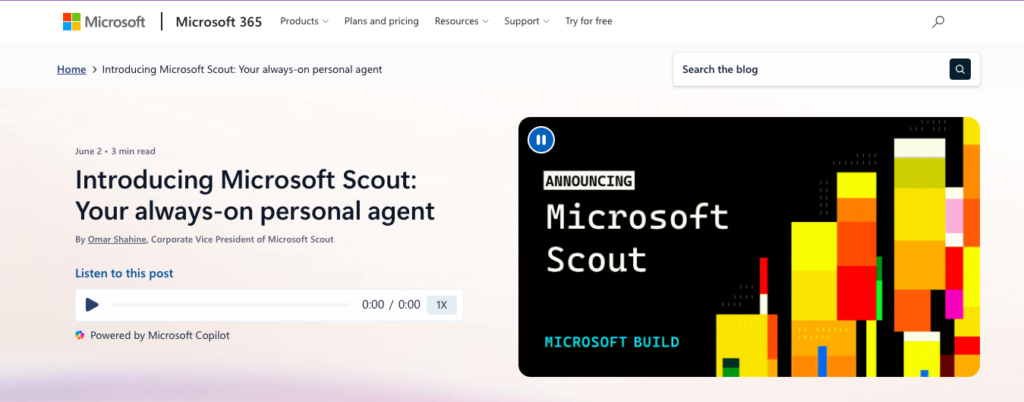
This is the gap Microsoft Scout is designed to address.
Microsoft Scout introduces a new category of enterprise AI: the autonomous work agent.
Rather than functioning as a chatbot that waits for prompts, Scout operates continuously across Microsoft 365, maintaining awareness of projects, meetings, deadlines, communications, and commitments. It is designed to identify what requires attention, coordinate actions, and help keep work progressing inside existing workflows.
For example:
“Monitor project deadlines and surface emerging risks before they impact delivery.”
“Track unresolved decisions and notify stakeholders when action is required.”
“Coordinate meetings across teams and prepare the necessary context.”
“Review incoming activity and prioritize items that require immediate attention.”
The objective is not simply to provide answers.
The objective is to reduce the operational burden of coordination itself.
This shift is becoming increasingly important. Organizations are generating more information than ever before.
The challenge is converting information into action quickly, consistently, and at scale. That is why autonomous agents are emerging as the next evolution of enterprise AI.
Instead of helping people complete individual tasks, they help ensure work continues moving between tasks.
Microsoft Scout represents Microsoft’s vision for this future: an AI agent that works alongside employees, understands organizational context, and supports execution across the Microsoft ecosystem.
In this article, I’ll explore:
What Microsoft Scout is and how it works
Why autonomous work agents are becoming strategically important
The key capabilities and business applications of Scout
How organizations can adopt Scout using the Align → Automate → Achieve framework
Which teams stand to benefit most from autonomous coordination and execution support
Because the organizations that scale most effectively are rarely the ones with the most information.
They are the ones that can turn information into action with the least friction. And Microsoft Scout is designed to help make that possible.
At its core, Microsoft Scout is an always-on AI agent built for the Microsoft 365 ecosystem.
Microsoft describes Scout as its first “Autopilot” agent: a new category of AI systems that operate continuously in the background, maintain context over time, and take actions on behalf of users under organizational controls.
Unlike conventional AI assistants that require repeated prompting, Scout is designed to:
Observe ongoing work
Maintain contextual awareness
Understand priorities
Coordinate actions
Execute approved tasks
Scout connects across:
Outlook
Teams
OneDrive
SharePoint
Calendars
Contacts
Desktop resources
Browser environments
allowing it to understand and act within the flow of daily work.
One of Scout’s most important characteristics is persistence.
Instead of responding to isolated requests, Scout continuously builds context about:
Current projects
Upcoming deliverables
Team communication
Scheduling patterns
Work priorities
This enables it to proactively support users rather than waiting for instructions.
In practice, Microsoft Scout functions as a digital coordinator operating alongside employees.
These components position Scout as a work orchestration platform rather than a traditional AI assistant.
The Shift From AI Assistants → AI Autopilots
Most AI deployments over the last several years focused on helping people complete individual tasks:
Writing content
Answering questions
Generating code
Summarizing documents
These capabilities are valuable.
However, they still require humans to coordinate the work.
Organizations increasingly need AI systems capable of:
Tracking work
Managing follow-ups
Coordinating workflows
Monitoring progress
Executing routine actions
This is the transition from AI assistance to AI autonomy.
Microsoft Scout sits directly at the center of this transition.
Instead of helping users perform work manually, Scout aims to keep work moving automatically.
Several major trends are accelerating interest in platforms like Scout:
As organizations become more distributed, coordination consumes more employee time.
Many organizations already operate inside Microsoft ecosystems, creating a natural environment for Scout adoption.
Organizations increasingly seek AI systems capable of acting rather than merely responding.
Companies need AI systems that operate within identity, security, compliance, and approval structures.
Organizations that move information, decisions, and actions faster increasingly outperform competitors.
Scout combines all of these capabilities within a governed enterprise environment.
These capabilities transform Scout from a chatbot into an autonomous work agent.
A typical Scout workflow looks like this:
For example:
“Monitor project deadlines and notify me when risks emerge.”
The system gathers information from:
Calendars
Teams
Documents
Tasks
Shared resources
The agent:
Tracks deadlines
Coordinates schedules
Identifies blockers
Surfaces priorities
Prepares materials
Sensitive actions remain governed by organizational controls.
As it observes work patterns, Scout becomes increasingly aligned with priorities and workflows.
This creates a cycle of continuous coordination and execution support.
Deploying Microsoft Scout is not simply about introducing another AI assistant into the organization.
It is about creating an autonomous execution layer that continuously monitors work, coordinates activities, identifies risks, manages follow-ups, and helps move projects forward across the Microsoft 365 ecosystem.
Without a structured approach, most organizations encounter one of two outcomes:
Scout remains a personal productivity experiment used by a handful of employees.
Scout gains access to workflows without clear governance, creating inconsistent usage, trust concerns, and operational confusion.
The Align → Automate → Achieve framework ensures Scout evolves into a governed, measurable, and scalable operational capability across the enterprise.
Rather than functioning as another chatbot, Scout becomes a digital coordinator that helps teams execute work faster, maintain visibility, and reduce administrative overhead.
Before deploying Scout across the organization, leadership must establish where autonomous agents create value, how Scout fits into existing workflows, and what governance controls must exist.
Scout can coordinate work continuously.
Its value comes from directing that capability toward meaningful business outcomes.
Key Activities
Scout performs best when it is connected to recurring coordination, monitoring, and workflow-management activities.
Examples of outcomes:
“Reduce project follow-up effort by 50%.”
“Decrease time spent coordinating meetings across departments.”
“Improve visibility into project risks before deadlines are missed.”
“Reduce administrative workload for managers and team leads.”
“Provide leadership with proactive updates on critical initiatives.”
The goal is to identify workflows where coordination creates significant overhead.
Scout is most valuable when it removes friction from execution.
Organizations need a clear picture of how work currently flows.
Evaluate:
Microsoft Teams usage
Outlook workflows
Meeting management processes
Task tracking systems
Project management tools
Reporting workflows
Follow-up procedures
Escalation processes
Questions to ask:
Where do employees spend time chasing updates?
Which workflows rely heavily on manual reminders?
Where are project delays typically discovered?
Which meetings exist primarily to gather status information?
Which activities require repetitive coordination?
This assessment reveals high-impact opportunities for Scout deployment.
Many coordination challenges remain invisible until teams discuss their daily work.
Departments to interview:
Focus Areas:
Project coordination
Cross-functional initiatives
Reporting cycles
Common Pain Points:
Repeated status collection
Manual follow-ups
Delayed visibility into risks
Focus Areas:
Roadmap execution
Sprint coordination
Dependency management
Common Pain Points:
Missed dependencies
Communication gaps
Slow escalation of blockers
Focus Areas:
Campaign launches
Asset approvals
Cross-functional coordination
Common Pain Points:
Scheduling complexity
Approval bottlenecks
Status tracking
Focus Areas:
Pipeline reviews
Customer follow-ups
Internal coordination
Common Pain Points:
Meeting overload
Follow-up management
Information fragmentation
Focus Areas:
Strategic initiatives
Organizational visibility
Risk management
Common Pain Points:
Delayed reporting
Lack of real-time insights
Excessive coordination effort
Organizations frequently uncover:
Too many status meetings
Follow-ups that depend on memory
Hidden project risks
Missed deadlines
Scheduling complexity
Communication bottlenecks
Manual progress tracking
These become ideal starting points for Scout.
Start with a small number of measurable workflows.
Examples:
Monitors:
Key projects
Critical deadlines
Open risks
Provides:
Daily summaries
Weekly executive briefings
Tracks:
Milestones
Ownership
Dependencies
Flags:
Delays
Missing updates
Escalation needs
Handles:
Scheduling
Preparation materials
Follow-up tracking
Reduces administrative overhead.
Monitors:
Customer follow-ups
Internal approvals
Upcoming commitments
Ensures momentum remains high.
The objective is visible value within weeks.
Because Scout can operate autonomously, governance is essential.
Governance should define:
What Scout can do automatically
What requires approval
Which systems Scout can access
Data retention requirements
Compliance requirements
Audit logging requirements
Escalation procedures
Governance should also establish:
Human oversight requirements
Agent accountability standards
Risk-review processes
Security controls
Scout’s effectiveness increases when trust is established early.
Operations
Pain Point: Constant coordination across projects.
With Scout: Continuous monitoring of project health, deadlines, and dependencies.
Use Case: “Operational Execution Agent” monitoring all active initiatives.
Product Teams
Pain Point: Managing complex dependencies.
With Scout: Automated tracking of milestones, blockers, and ownership.
Use Case: “Roadmap Visibility Agent.”
Marketing
Pain Point: Campaign coordination and approvals.
With Scout: Automated deadline monitoring and stakeholder follow-ups.
Use Case: “Campaign Launch Coordinator.”
Sales
Pain Point: Managing customer follow-ups.
With Scout: Tracks commitments, meetings, and next actions.
Use Case: “Revenue Opportunity Agent.”
Customer Success
Pain Point: Monitoring account health and escalations.
With Scout: Continuous review of customer interactions and commitments.
Use Case: “Customer Health Monitoring Agent.”
Leadership
Pain Point: Lack of real-time operational visibility.
With Scout: Proactive updates on risks, priorities, and project status.
Use Case: “Executive Visibility Agent.”
Defines:
Strategic outcomes
AI operating principles
Organizational priorities
Owns:
Security
Integration
Compliance
Infrastructure alignment
Ensures:
Operational adoption
Workflow alignment
Performance measurement
Own:
Use-case validation
Workflow design
Business outcomes
Prepare employees to work alongside autonomous agents.
By the end of Align:
Everyone understands where Scout fits.
Pilot workflows are defined.
Governance requirements are established.
Success metrics are agreed upon.
Stakeholders understand how Scout will be evaluated.
This prevents fragmented experimentation and creates a foundation for scalable deployment.
Once priorities and governance are established, Scout begins operating inside real workflows.
This is where Scout transitions from an AI capability to an operational system.
Convert existing coordination processes into Scout-managed workflows.
Identify:
Emails
Meetings
Tasks
Calendars
Documents
Team communications
Deadlines
Ownership
Dependencies
Risks
Escalations
Notifications
Summaries
Follow-ups
Reports
Escalation alerts
Scout becomes the coordination layer connecting these elements.
Deploy Scout across selected pilot workflows.
Examples:
Executive reporting
Project monitoring
Meeting coordination
Sales follow-ups
Each deployment should be:
Tested
Audited
Validated
Reviewed by stakeholders
Teams iterate weekly based on performance.
Track:
Accuracy of recommendations
Missed alerts
Escalation quality
User adoption
Time savings
Workflow completion rates
Continuous refinement includes:
Adjusting permissions
Updating rules
Improving escalation logic
Enhancing notification quality
Teams learn:
How Scout operates
What actions Scout can perform
How approvals work
How to review recommendations
How to collaborate with autonomous agents
The organization shifts from manual coordination toward supervisory management.
By the end of Automate:
Scout operates inside real workflows.
Teams spend less time coordinating.
Managers spend less time chasing updates.
Risks surface earlier.
Meetings become more focused.
Operational visibility improves.
Scout becomes an active participant in execution.
This phase focuses on scale, optimization, and institutionalization.
The objective is making Scout a repeatable organizational capability.
Track:
Active Scout workflows
Hours saved
Coordination tasks automated
Escalations generated
Meeting hours reduced
Risk detection rates
User adoption
Leadership gains visibility into organizational impact.
Assess:
Which teams gain the most value
Which workflows create the highest ROI
Where users need additional support
Which processes should be automated next
This identifies future expansion opportunities.
Refine:
Escalation logic
Reporting quality
Monitoring rules
Workflow coverage
Governance policies
Scout improves alongside the organization.
Once core workflows succeed, expand to:
HR
Finance
Customer Support
Procurement
PMO
Legal Operations
Executive Operations
Every department contains coordination activities that Scout can support.
Scout delivers maximum value when humans focus on:
Strategy
Judgment
Leadership
Negotiation
Relationship management
Exception handling
Scout handles:
Monitoring
Coordination
Follow-ups
Reporting
Scheduling
Escalation management
This creates a scalable operational model.
By the end of Achieve:
Scout becomes embedded in daily operations.
Teams rely on autonomous coordination.
Leadership gains real-time visibility.
Project execution accelerates.
Administrative workload decreases.
Operational consistency improves.
Within 10 weeks, Scout transitions from a pilot initiative into a company-wide autonomous work coordination layer.
Our Align → Automate → Achieve framework ensures Scout does not remain:
A personal productivity experiment
A disconnected AI pilot
A narrowly adopted assistant
Instead, it evolves into:
An execution accelerator
A coordination engine
A visibility platform
A workflow intelligence layer
A scalable autonomous operations capability
When implemented correctly, Microsoft Scout enables organizations to spend less time managing work and more time advancing it. The result is a workplace where coordination becomes increasingly automated, visibility improves continuously, and teams focus their energy on higher-value decisions and outcomes.
Microsoft Scout represents a clear shift in how organizations approach AI adoption inside day-to-day work. Instead of treating AI as an external assistant or a separate interface, Scout brings intelligence directly into operational workflows, where decisions, coordination, and execution actually happen.
Its value is not in replacing existing systems, but in enhancing them with contextual intelligence that can understand tasks, surface insights, and support faster execution across teams. In environments where speed, accuracy, and alignment determine performance, this shift from static tools to embedded intelligence becomes strategically significant.
For leaders, the implication is straightforward: the next phase of productivity will be defined by how effectively AI is integrated into existing operational layers, not added on top of them. Microsoft Scout sits within this transition by enabling more connected, responsive, and intelligent workflows across the organization.
As AI continues to evolve from isolated capabilities to integrated systems, tools like Scout will increasingly shape how work is structured, reviewed, and executed.
If you’re evaluating how to bring AI into your operational stack in a practical, scalable way, book a Complimentary AI Strategy Session with Zerem.ai now, and let’s identify where Genspark can automate research, reporting, presentations, and cross-functional workflows inside your organization.

